
We have all been there. You sit down at your desk with your morning Time-Saving Tools coffee, full of optimism and ready to conquer the world. Then the deluge begins. A wave of emails hits your inbox, three different chat apps start pinging simultaneously, someone demands a quick status update, and before you know it, it’s 4:00 PM. You’ve been clicking frantically all day, yet your actual work hasn’t even been touched.
It’s an exhausting, hollow feeling, and in 2026, it is more common than ever.
Here is the dirty little secret of the modern workplace: most of us aren’t overwhelmed because we have too much real work to do. We are drowning in “work about work”—the endless administrative overhead of searching for missing files, scheduling meetings back and forth, writing repetitive emails, and trying to remember what on earth we were supposed to finish today.
Technology created a lot of this chaos, but used intentionally, it can also get you out of it. You don’t need to turn your life into a hyper-optimized, robotic assembly line. You just need a few reliable digital sidekicks to handle the mundane busywork so you can get back to being a human being who creates, thinks, and actually logs off on time.
What Makes a Tool “Time-Saving” (and Not Just Another Distraction)?

Before we dive into software, let’s get one thing straight: downloading a shiny new app will not magically fix a broken workflow. In fact, collecting productivity apps like digital shiny objects is just another clever form of procrastination.
A tool only earns a spot on your screen if it does one of three things:
- It takes a repetitive, mind-numbing task off your plate entirely.
- It reduces the friction of starting or finishing complex work.
- It protects your attention span from being shredded by constant interruptions.
If an app requires three hours of maintenance a week just to keep it organized, throw it in the digital trash. The goal is to spend less time staring at monitors, not more.
15 Software Categories to Automate the Boring Stuff
1. AI Writing & Brainstorming Assistants
Staring at a blank cursor on a white screen is one of the most agonizing feelings in modern work. Your brain freezes up, perfectionism kicks in, and sudden urges to clean the kitchen clean out your focus. AI assistants aren’t here to replace your voice or do your thinking for you—they are here to cure the “blank page syndrome.”
Use them to vomit out a terrible first draft, pull together a quick outline for a presentation, or summarize a dense 40-page report into three readable bullet points. Let the machine do the heavy lifting of getting from zero to one. Once you have something on the page, you can step in as the human editor and add warmth, nuance, and actual insight.
- Best for: Defeating writer’s block, summarizing long documents, and drafting quick templates.
2. Digital Task Managers
Carrying your entire to-do list in your head is like running twenty browser tabs in your brain all day long. It leaves you feeling anxious, scattered, and terrified that you’re forgetting something crucial.
A solid task management app acts as an external brain. The moment a request, an idea, or a deadline pops up, dump it into your app and assign it a due date. Once your brain trusts that the system will remind you at the right time, the background mental static stops. You can finally focus 100% of your brainpower on whatever is sitting right in front of you.
- Best for: Brain dumps, tracking project milestones, and sleeping soundly at night.
3. Intelligent Scheduling Tools
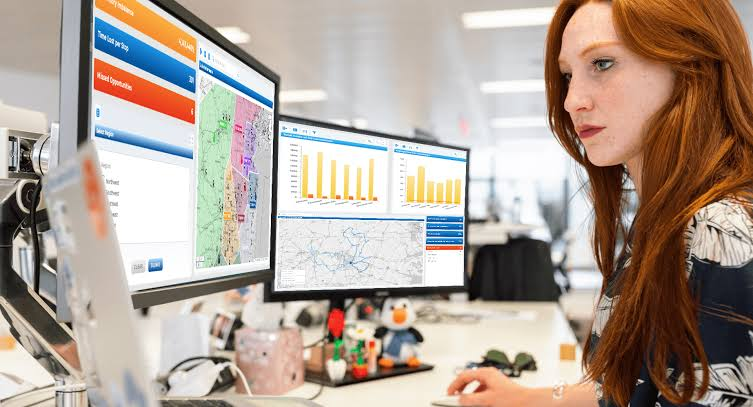
The “meeting ping-pong” game is a soul-crushing waste of life.
“Are you free Tuesday at 2?”
“No, how about Wednesday at 10?”
“I have a conflict then, what about Thursday afternoon?”
Stop doing this to yourself and your clients. Scheduling tools let you set your availability parameters and send over a single link. The other person picks a slot that works for them, the event lands on both your calendars, and a video link is created automatically. Zero emails exchanged, zero headaches.
- Best for: Blocking focus time, setting boundary lines around your workday, and eliminating calendar tag.
4. Digital Note-Taking & Knowledge Hubs
How many times have you wasted fifteen minutes hunting for that one brilliant idea you wrote down on a random sticky note, in a misplaced journal, or in a Slack message from three weeks ago?
Centralizing your notes into a searchable digital workspace creates an engine for your personal knowledge. Modern note-taking tools let you capture thoughts, save web articles, store meeting agendas, and link related ideas together effortlessly. When it comes time to write a proposal or build a campaign, all your research is sitting in one neat, accessible pile.
- Best for: Capturing fleeting thoughts, storing meeting records, and keeping research organized.
5. No-Code Automation Platforms
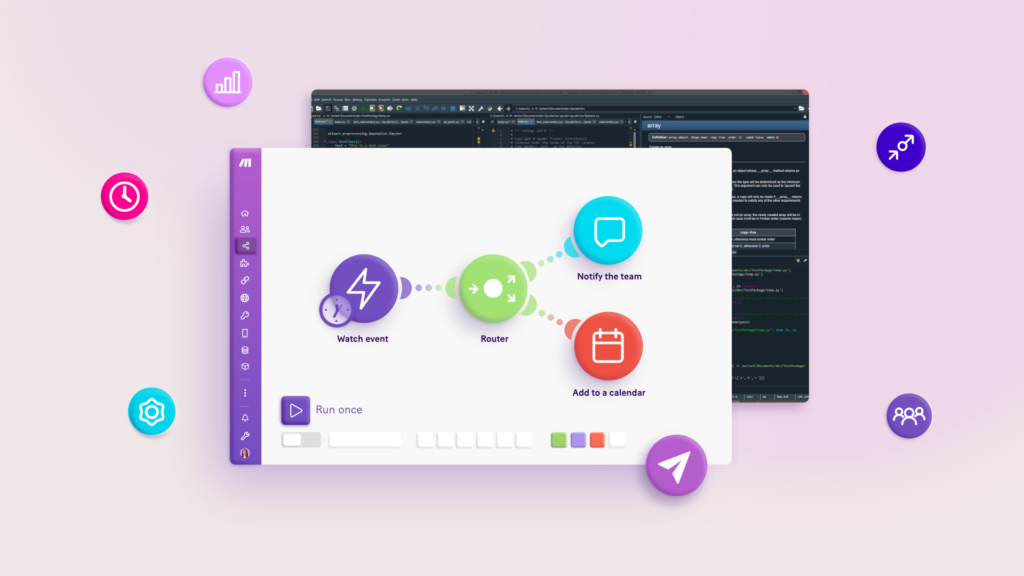
Think about the annoying, manual chores you repeat every single week. Copying customer data from an email into a spreadsheet. Downloading an invoice attachment and uploading it to a shared folder. Sending a reminder message to a team member every Monday morning.
Automation platforms act as invisible digital bridges between apps that normally don’t talk to each other. You set up a simple rule—”When This happens in App A, automatically do That in App B”—and walk away. It takes ten minutes to configure, and it saves you dozens of hours of mindless data entry over the course of a year.
- Best for: Eliminating copy-paste workflows and connecting disconnected software.
6. Password Managers
If your current security system consists of using the same three passwords for every website, or clicking “Forgot Password” once a week, you are playing a risky and frustrating game.
A password manager securely holds all your credentials behind one master key. It logs you into your accounts automatically, generates unhackable strings of characters for new sign-ups, and syncs across your phone and laptop. You save a few minutes every day, but more importantly, you eliminate a constant micro-frustration.
- Best for: One-click logins, sharing account access safely with teammates, and peace of mind.
7. Email Management Systems
Inboxes are essentially open-to-the-public to-do lists that anyone in the world can write on without your permission. If you spend your entire morning responding to emails as they trickle in, you are prioritizing everyone else’s goals over your own.
Modern email tools give you back control. Use filters to sort newsletters and updates away from client messages, set up smart snoozing to deal with low-priority items later, and leverage AI to draft routine replies. Treat email like a batch chore—check it twice a day, process it, and shut the tab.
- Best for: Taming inbox chaos and reclaiming your morning focus.
8. Team Project Workspaces
When teams grow beyond three or four people, communication breaks down quickly if you rely solely on chat apps and email. Questions like “Who is working on this?”, “Where is the latest file version?”, and “Is this ready for review?” start cluttering every channel.
Dedicated project management software puts every task, asset, conversation, and milestone into a shared context. Anyone can drop into a project board and immediately see the health of a launch without interrupting a colleague to ask for a status report.
- Best for: Keeping cross-functional teams aligned without holding endless status meetings.
9. AI Meeting Transcribers & Summarizers
How much time do you spend sitting in a hour-long meeting, half-listening because you are furiously taking notes on what everyone is saying?
AI meeting assistants hop onto your calls, record the conversation, produce a full transcript, and deliver a concise summary with clear action items straight to your inbox within minutes. This frees you up to do what humans do best: actually participate in the conversation, listen empathetically, and solve problems creatively.
- Best for: Staying present in meetings and making sure action items don’t fall through the cracks.
10. Centralized Cloud Storage
Sending email attachments back and forth creates a terrifying version nightmare. “Presentation_Final_v2_edit(1).pdf” is a disaster waiting to happen.
Cloud storage keeps all your work in a single living location. You can collaborate on documents in real-time with colleagues across the globe, access your files from a phone while traveling, and restore previous versions with a single click if someone accidentally deletes an important chapter.
- Best for: Seamless file sharing, disaster recovery, and remote work flexibility.
11. Structured Team Communication Tools
Email is terrible for quick, casual collaboration, but constant video calls are exhausting. Structured chat platforms bridge the gap by allowing fast, informal communication organized into dedicated topics or channels.
The trick to using communication apps without losing your mind is asynchronous respect. Don’t expect instant replies, turn off noisy channel notifications, and encourage your team to leave thoughtful, complete updates that people can read whenever their schedule permits.
- Best for: Reducing unnecessary quick meetings and keeping remote teams connected.
12. Automated Time Trackers
We are notoriously terrible at estimating how long things take. You might think writing a weekly report takes thirty minutes, but a time tracker might reveal it actually eats up two hours of your precious Friday afternoon.
Time-tracking tools run quietly in the background, logging which applications and websites you are using throughout the day. The resulting data provides an eye-opening reality check on where your energy is actually going, helping you spot hidden time sinks, price your freelance work accurately, and set realistic daily limits.
- Best for: Uncovering hidden distractions, accurate client billing, and reality-checking your schedule.
13. Distraction Blockers & Focus Timers
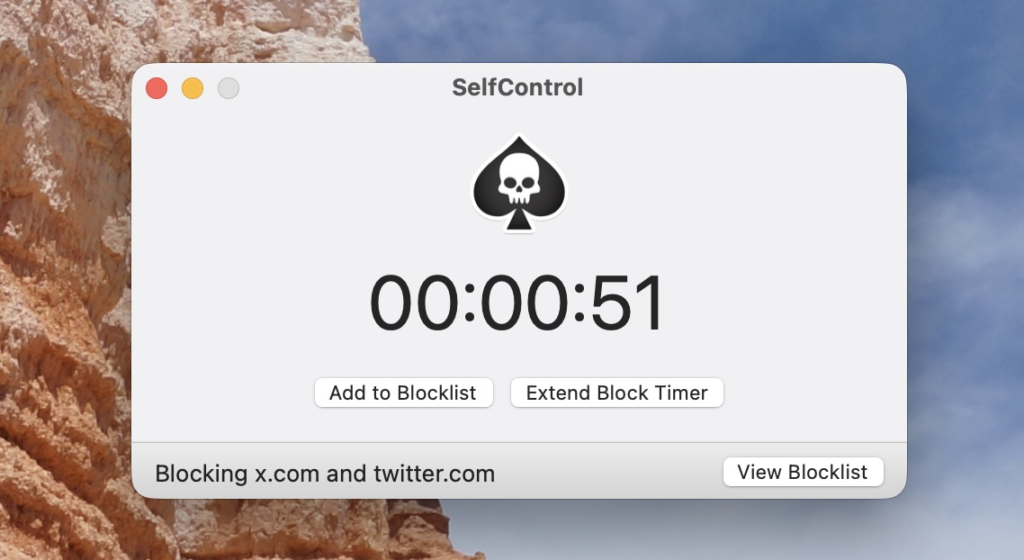
Willpower is a finite resource, and by 2:00 PM, yours is likely running low. Expecting yourself to resist the dopamine hit of social media feeds or news sites while sitting next to an open browser is a losing battle.
Focus apps take willpower out of the equation. You set a focus window—say, 45 minutes—and the app hard-blocks your access to distracting websites and silences incoming notifications across all your devices. It creates a temporary digital sanctuary where deep, meaningful work can actually happen.
- Best for: Protecting your attention span and entering a flow state quickly.
14. Real-Time Collaborative Document Editors
The days of writing a draft in isolation, emailing it out to five stakeholders, and manually merging five different track-changed documents together are thankfully over.
Modern document tools allow teams to write, edit, format, and comment on the exact same draft simultaneously. You can tag teammates to get instant feedback on a specific paragraph, drop in interactive components, and transform a rough outline into a polished client proposal in half the traditional time.
- Best for: Real-time co-writing, instant feedback loops, and document review.
15. All-in-One Executive Dashboards
Opening ten different browser tabs every morning just to check your sales numbers, review team tasks, look at your schedule, and check your performance metrics is a slow, distracting routine.
Productivity dashboards bring your critical data streams under one roof. By pulling key information from your tools into a single, clean overview, you can assess the health of your day or your business in sixty seconds flat, allowing you to make quick, informed decisions before diving into your deep work.
- Best for: High-level daily planning and keeping your core metrics visible at a glance.
Realistic Tool Strategies for Busy People
| The Tool Trap | Why It Hurts Your Workflow | The Human-Centered Fix |
| App Overload | Switching between 15 apps causes severe cognitive fatigue. | Stick to 3-4 core tools. If an app doesn’t solve an immediate headache, delete it. |
| Over-Engineering | Spending hours tweaking colors, tags, and database filters. | Keep setups basic. A messy system you use daily beats a pretty system you abandon. |
| Notification Slavery | Default app settings ping you for every tiny, low-value update. | Mute everything except direct messages from actual humans who might need emergency help. |
| Chasing Every AI Feature | Trying to force AI into simple tasks that are faster to do manually. | Use AI for heavy lifting (drafts, summaries, data analysis), not simple quick tasks. |
How to Build a Streamlined Stack Without Losing Your Mind
If you feel completely overwhelmed by all these software options, take a deep breath. You do not need to overhaul your life by tomorrow morning.
Here is a sensible, step-by-step approach to introducing tools without disrupting your work:
+-------------------+-----------------------------------------------------------------------+
| Step              | Practical Implementation                                              |
+-------------------+-----------------------------------------------------------------------+
| 1. The Audit      | Pay attention to your day for 48 hours. Identify the single task that |
|                   | makes you groan the loudest or wastes the most time (e.g., scheduling).|
+-------------------+-----------------------------------------------------------------------+
| 2. Single Solution| Pick ONE tool designed specifically to solve that specific headache.  |
|                   | Use it consistently for two weeks until it becomes muscle memory.     |
+-------------------+-----------------------------------------------------------------------+
| 3. Strip Away     | Audit your current apps and delete anything you haven't opened in a  |
|                   | month. Fewer tools mean fewer distractions and less mental clutter.  |
+-------------------+-----------------------------------------------------------------------+
| 4. Create Rules   | Establish clear boundaries around your software (e.g., "No Slack or   |
|                   | email checks before 10:00 AM" or "All focus blocks are auto-snoozed").|
+-------------------+-----------------------------------------------------------------------+
The Bottom Line: Tools Serve You, Not the Other Way Around
At the end of the day, technology is just a hammer. A hammer can help you build a sturdy, comfortable house quickly, or it can sit on your desk making noise and taking up space.
Don’t let software become another item on your to-do list. The point of using time-saving tools isn’t to cram more labor into your day so you can work 14 hours straight. The point is to get your high-impact work done cleanly and efficiently so you can log off, close your laptop, and go enjoy your actual life.
Pick one friction point in your day, find a simple tool to fix it, and give yourself permission to step away from the noise.
Tool Deals & Offers 2026: Discover Top Tools at Better Prices
Digital tools have become an important part of everyday work. Tool Deals & Offers Whether…
Free vs. Paid Tools 2026: Which Tools Are Worth It?
From productivity apps and design software to AI platforms, writing Free vs. Paid Tools assistants,…
Best Tool Deals 2026: Software Discounts & Special Offers
Software has become a daily necessity for work, study, business, Tool Deals content creation, design,…

SaaS Deals 2026: Best Software Discounts, Offers & Lifetime Deals
Running a business, managing client projects, or creating SaaS Deals content in 2026 relies heavily…
Best Tool Tips & Hacks in 2026 to Work Smarter
Let’s be honest: most of us spend Best Tool Tips our workdays performing digital acrobatics…
Stop Paying: 15 Free Tools You Should Try in 2026
Before we dive into the deep details, here is the cheat sheet. This is Free…