
We’ve all been there: sitting down at the end of the month, looking at a credit card statement, and wondering how on earth a handful of “small” software subscriptions managed to eat up hundreds of dollars.
A $12-a-month design app here, a $20 writing assistant there, $15 for project management, another $30 for an AI tool—it adds up fast. Before you know it, you’re bleeding money for software features you rarely touch.
For freelancers, creators, students, and small business owners trying to keep overhead low, those recurring charges hit hard. The good news? You don’t have to throw money at expensive subscriptions to get real work done. The ecosystem of free, reliable software is better, smoother, and more capable than ever.
Replacing just two or three paid subscriptions with solid free options can save you hundreds of dollars every year—money that could actually go toward growing your business, upgrading your hardware, or taking a well-deserved vacation.
Why the “Free First” Strategy Just Makes Sense

Let’s be honest: software companies love subscriptions because they keep your credit card on auto-pilot. But as users, we often fall into the trap of buying enterprise-level tools when we only need the basics.
  [ Paid Mega-Tool ($50/mo) ]  ───>  You use 10% of features  ───>  Wasted Money
  [ Free Core Alternative ]    ───>  You use 100% of features ───>  Smart Savings
Starting with free software isn’t about being cheap; it’s about being practical.
- Trimming the Fat: Stop paying for heavy feature sets that sound cool on a sales page but sit untouched in your dashboard.
- Testing the Waters: Free plans let you run a tool through its paces in real-world conditions without a timer ticking down on a 7-day trial.
- Bootstrapping New Projects: When an idea is still fresh, you want to keep costs as close to zero as possible until you prove the concept actually works.
The Big Software Audit: Where Can You Cut Costs?
Let’s break down the main categories where subscription creep sneaks up on us, and how free alternatives can save the day.
┌─────────────────────────────────────────────────────────────────┐
│                    THE SUBSCRIPTION REPLACEMENT                 │
├───────────────────┬─────────────────────┬───────────────────────┤
│ EXPENSIVE CATEGORY│ TYPICAL PAID COST   │ FREE ALTERNATIVE ROLE │
├───────────────────┼─────────────────────┼───────────────────────┤
│ Design & Graphics │ $20 - $55 / month   │ Drag-and-drop, vector │
│ Project Tracking  │ $10 - $25 / user/mo │ Boards, task lists    │
│ Writing & Editing │ $12 - $30 / month   │ Proofing, readability │
│ Communication     │ $8 - $15 / user/mo  │ Text chat, meetings   │
└───────────────────┴─────────────────────┴───────────────────────┘
1. Design and Visuals
Not everyone needs a high-end, complex creative suite to crop a photo, make a social media graphic, or put together a clean presentation.
- The Free Reality: Modern browser-based design tools offer massive template libraries, simple drag-and-drop interfaces, and quick export options. Unless you are doing pixel-precise photo manipulation or complex vector illustration for print production, free design tools will easily cover 90% of your daily needs.
2. Project Management and Task Tracking
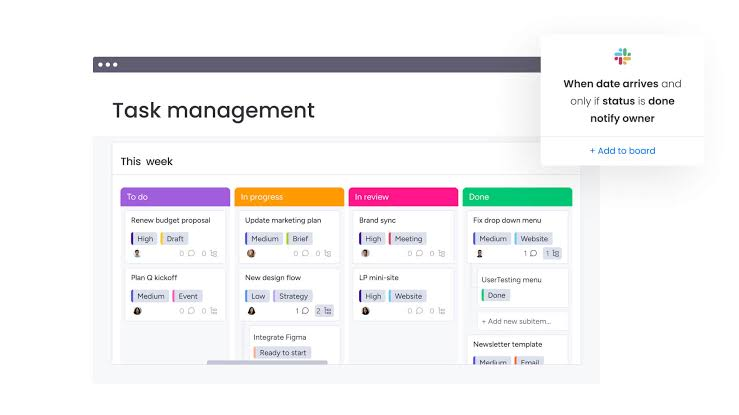
Keeping your workday organized shouldn’t require an enterprise-grade setup that takes three weeks to learn.
- The Free Reality: Free project management tools give you Kanban boards, simple lists, due-date reminders, and basic file attachments. If your team is under ten people, a free plan usually gives you plenty of runway without making you upgrade.
3. Writing, Grammar, and Editing
A good piece of writing comes down to clear thinking, not expensive software.
- The Free Reality: Free spell-checkers, basic AI drafting tools, and readability analyzers are everywhere. They are great for catching embarrassing typos, fixing passive voice, and smoothing out rough sentences. Just remember: always give the output a human read-through so your text sounds like an actual person, not a generic robot.
4. SEO and Marketing Essentials
Diving into search engine optimization can feel intimidating, especially when top-tier SEO platforms demand $100+ every month.
- The Free Reality: When you’re just starting out, free keyword tools, search console dashboards, and basic site auditors give you more than enough data to find topic ideas and fix broken links. You don’t need a massive competitive intelligence suite until your site is already pulling in steady traffic.
5. Team Communication
Remote work relies heavily on messaging and video calls, but meeting time caps and chat history limits can be frustrating.
- The Free Reality: Free communication tools handle text channels, direct messages, and standard video calls without a hitch. For small groups, working around a 40-minute call limit or a rolling message history is a tiny compromise for saving hundreds of dollars a year.
Free vs. Freemium: What’s the Catch?
It’s important to know how software companies operate so you don’t get blindsided mid-project. Almost all modern “free” tools fall under the Freemium model.
                             [ FREEMIUM TOOL ]
                                     │
                    ┌────────────────┴────────────────┐
                    ▼                                 ▼
             [ FREE TIER ]                     [ PAID TIER ]
         • Core Features                   • Unlimited Storage
         • Small Teams                     • Advanced Automation
         • Storage Limits                  • Priority Support
A freemium tool gives you the core app for free, hoping you’ll eventually outgrow its limits and pay for a premium plan. Common limits include:
- Storage space: E.g., 5GB of cloud storage instead of 1TB.
- Export quality: E.g., exporting videos at 720p instead of 4K, or with a tiny watermark.
- Team members: E.g., free for up to 3 collaborators, paid for more.
- Usage caps: E.g., 20 AI prompts a day or 100 emails sent per month.
The key to winning at the freemium game is knowing your own limits. If a tool’s free tier comfortably covers your weekly workload, don’t feel guilty about sticking with $0.
How to Choose the Right Free Alternative (Without Wasting Hours)
Downloading five different apps to test them all will completely wreck your afternoon. Follow this simple filter to evaluate tools fast:
[ Identify Must-Have Feature ] ──> [ Check Free Plan Limits ] ──> [ Test Workflow (15 Mins) ]
| Step | What to Check | Why It Matters |
|---|---|---|
| 1. The “Must-Have” List | What is the one thing this app must do? | Keeps you focused so you don’t get distracted by shiny extra features. |
| 2. The Fine Print | Are there hidden export limits or watermarks? | Avoids spending hours on a project only to find out you can’t download it cleanly. |
| 3. Ease of Use | Can you figure out the basics in 10 minutes? | If a free tool takes 3 hours to learn, the “saved money” is eaten up by lost time. |
| 4. Compatibility | Does it run smoothly on your browser or OS? | Prevents weird file-format issues when sharing work with clients or teammates. |
Practical AI Governance: Using Free AI Tools Responsibly
AI assistants have become part of our daily routines. We use them to rewrite emails, summarize dense PDFs, brainstorm headline ideas, or clean up code.
While free AI tiers are amazingly capable, you need to exercise some basic digital common sense:
┌─────────────────────────────────────────────────────────────────┐
│                     SAFE FREE-AI CHECKLIST                      │
├─────────────────────────────────────────────────────────────────┤
│ [ ] Never paste sensitive personal or client data into prompts.  │
│ [ ] Double-check factual claims, dates, and math manually.      │
│ [ ] Edit tone so the output sounds like your authentic voice.   │
│ [ ] Check daily/monthly usage caps before starting a big task.  │
└─────────────────────────────────────────────────────────────────┘
A Quick Privacy Reminder: Free tools often train their algorithms on user inputs. Never feed confidential business contracts, private customer information, or unannounced product details into a free public text box.
When Should You Actually Pay for Software?

Let’s be clear: paid software isn’t the enemy. There comes a time when opening your wallet is the smartest move you can make.
  [ Task Takes 3 Hours on Free Tool ] ───> Upgrade ───> [ Takes 15 Mins on Paid Tool ]
                                                                 │
                                                       (Time Saved > Cost)
Upgrading to a paid plan makes sense when:
- It saves massive amounts of time: If a paid app turns a 2-hour manual task into a 5-minute automated click, the time saved pays for the subscription.
- You hit hard usage walls daily: If you are constantly blocked by daily file upload limits or user caps, the free plan is hurting your momentum.
- Your business revenue depends on it: If a piece of software is the core engine of your client deliverables, investing in premium stability, security, and dedicated support is a no-brainer.
Common Traps to Avoid When Going the Free Route
Saving money on software is great, but don’t fall into these common traps:
- App Overload: Don’t use four separate free tools for tasks that a single, simple app can handle. Too many browser tabs and open apps lead to context-switching fatigue.
- Ignoring Data Ownership: Always check how easy it is to export your data. If a free tool makes it impossible to download your files or task lists, your work is effectively held hostage if the app ever shuts down.
- Downloading Unofficial Clones: Never download “cracked,” modified, or “unlocked” versions of paid software from shady sites. They are notorious for bundling malware, ransomware, and spyware that can wreck your computer. Stick to legitimate, reputable free apps.
Your 15-Minute Software Cleanup Plan
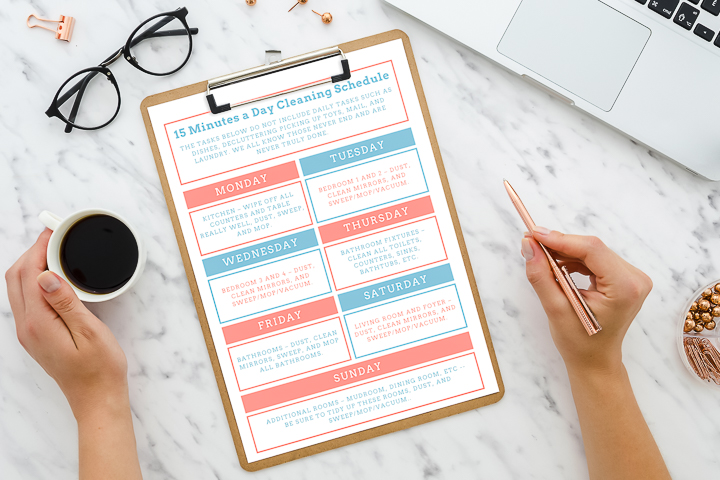
Pull up your bank statement: Highlight every software subscription charge from the last 30 days.
Flag the “Ghost Subscriptions”: Identify any app you haven’t used in the past two weeks. Cancel them immediately.
Test a free alternative: Pick one paid app you use occasionally, find a well-reviewed free alternative, and give it a 15-minute trial run on a real task.
Bank the difference: Move those monthly savings straight into a business growth account or your personal emergency fund!
Ready to reclaim your budget? Here is a simple, actionable workflow to run this weekend:
Smart Work Beats Expensive Tools
At the end of the day, clients, readers, and customers don’t care what software you used to create your work. They care whether your design looks good, whether your writing makes sense, whether your product delivers on its promise, and whether you delivered on time.
The best tools aren’t the ones with the flashiest marketing campaigns or the highest monthly price tags—they are the ones that help you get the job done reliably without getting in your way or draining your wallet.
Start lean, keep your software stack simple, and upgrade only when your growth forces you to. Your bank account will thank you!
Frequently Asked Questions
1. Are free software alternatives safe for my business data?
Legitimate, well-established free tools are generally safe, but you should always read their privacy policy. Avoid entering sensitive customer data or private credentials into free public platforms, especially free AI text models.
2. What is the difference between open-source and freemium software?
Open-source software is completely free, community-built, and has no paywalls or locked features (e.g., GIMP or LibreOffice). Freemium software is owned by a private company that offers a free starter tier alongside paid upgrade options.
3. How do free tools make money if they don’t charge me?
Most free tools make money through paid tier upgrades from heavy users, enterprise features for large teams, subtle in-app promotions, or optional add-ons.
4. Can I run a full freelance business using only free software?
Absolutely. Thousands of successful freelancers handle their entire workflow—from graphic design and project tracking to writing, scheduling, and invoicing—using only free and open-source software.

Tool Deals & Offers 2026: Discover Top Tools at Better Prices
Digital tools have become an important part of everyday work. Tool Deals & Offers Whether…
Free vs. Paid Tools 2026: Which Tools Are Worth It?
From productivity apps and design software to AI platforms, writing Free vs. Paid Tools assistants,…
Best Tool Deals 2026: Software Discounts & Special Offers
Software has become a daily necessity for work, study, business, Tool Deals content creation, design,…
SaaS Deals 2026: Best Software Discounts, Offers & Lifetime Deals
Running a business, managing client projects, or creating SaaS Deals content in 2026 relies heavily…

Best Tool Tips & Hacks in 2026 to Work Smarter
Let’s be honest: most of us spend Best Tool Tips our workdays performing digital acrobatics…
Stop Paying: 15 Free Tools You Should Try in 2026
Before we dive into the deep details, here is the cheat sheet. This is Free…